



Cosmos

Machine Overview

Built for high-speed precision, the BBT40 Spindle machine offers a compact, energy-efficient design with increased power and advanced capabilities to maximise productivity and output.

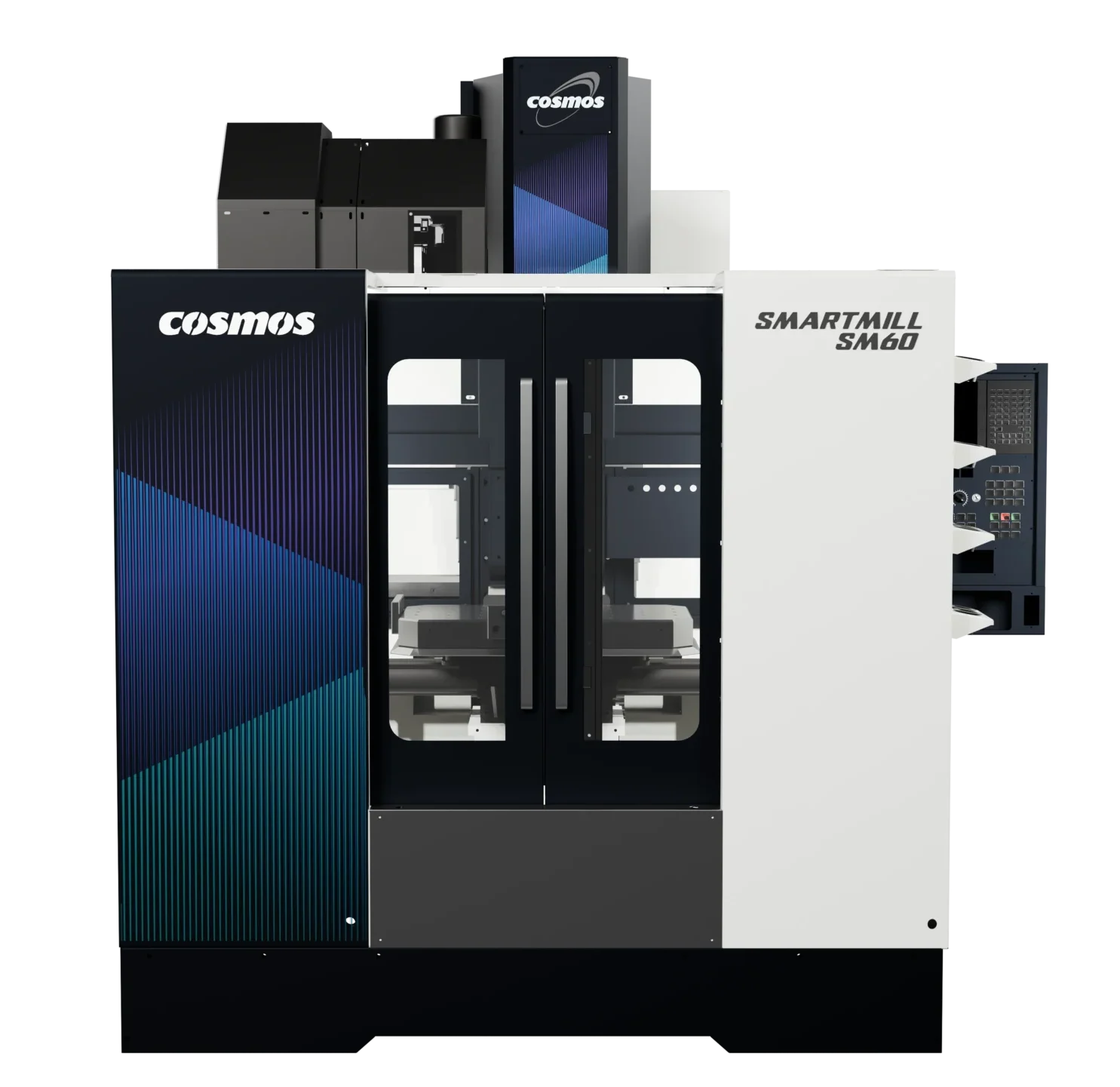
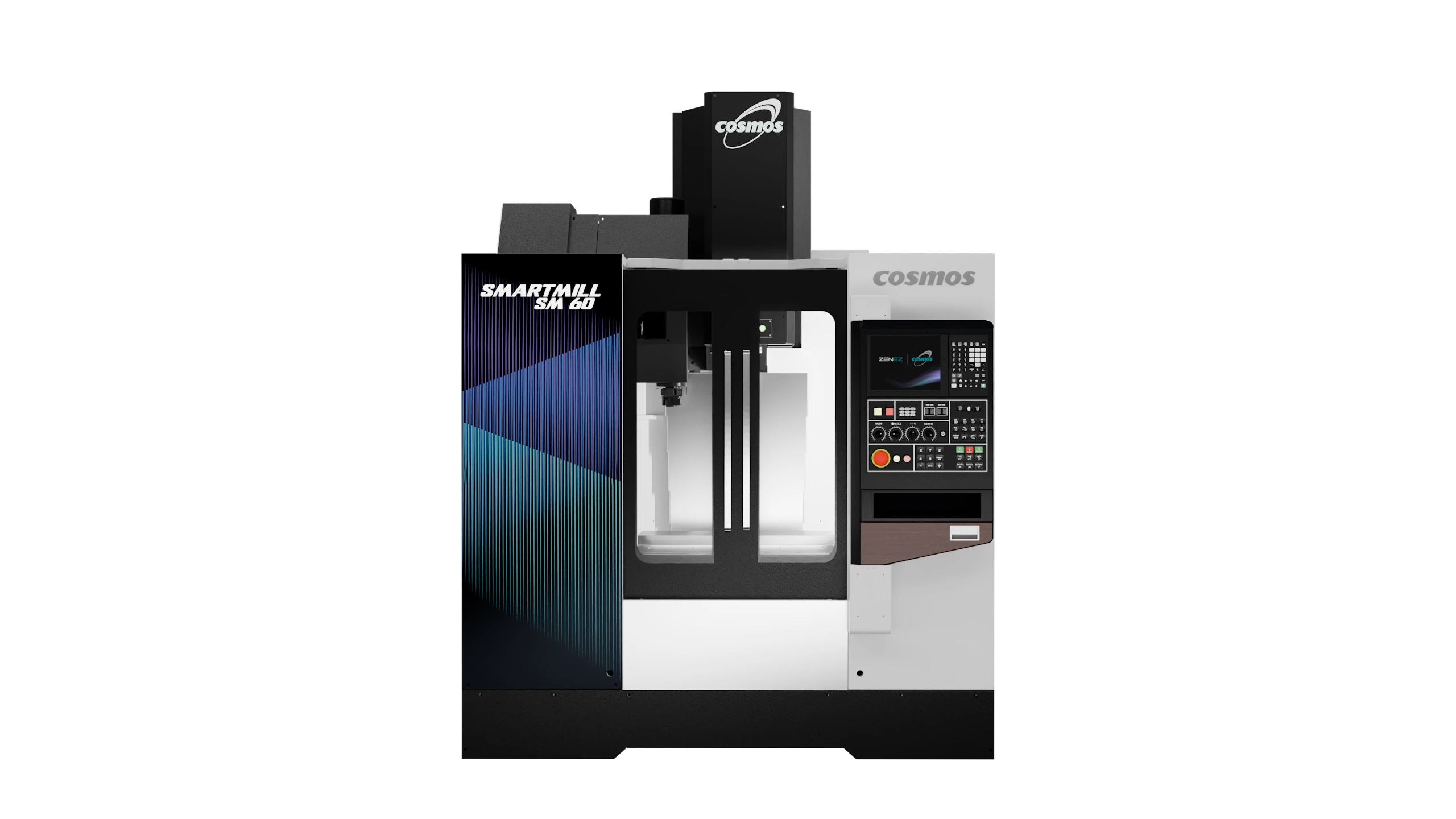
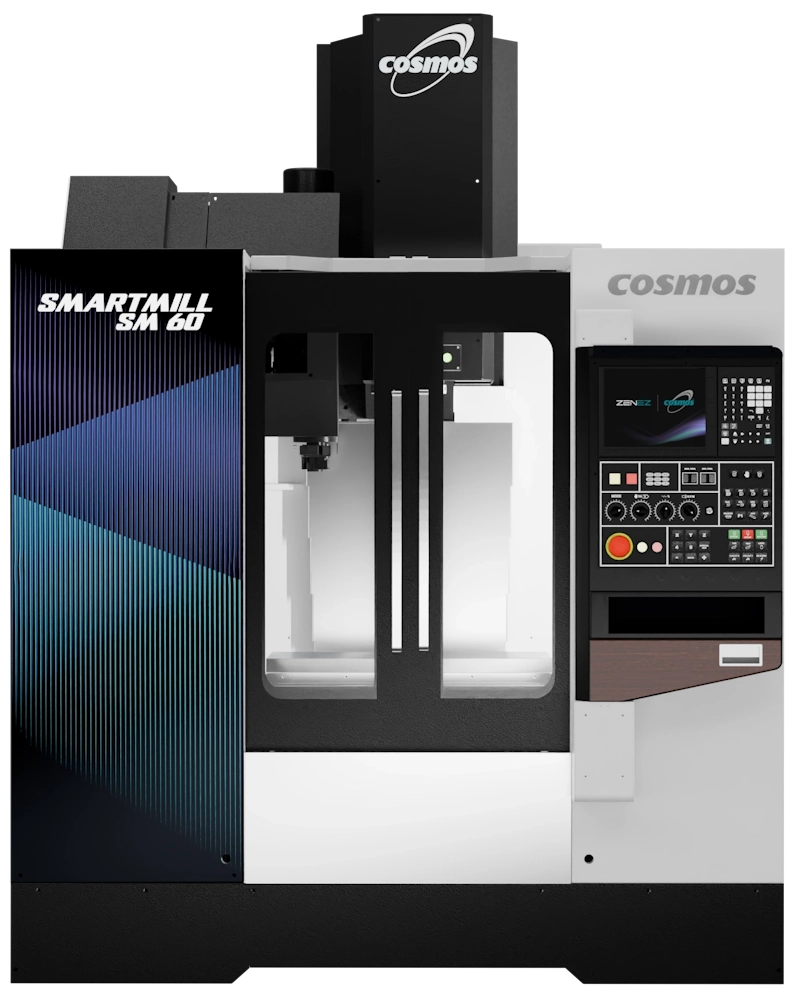
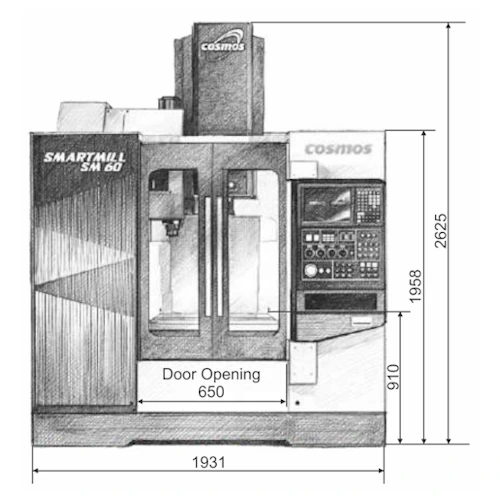
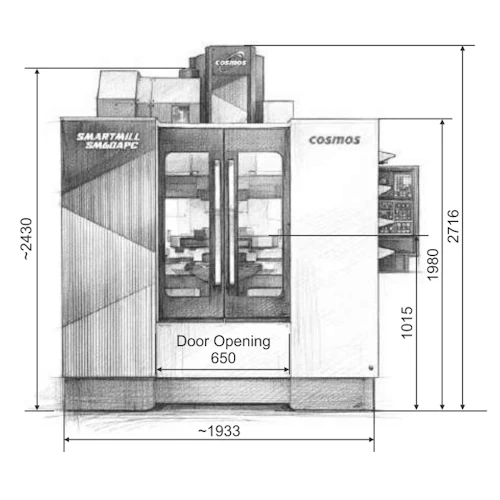
SM 60 Front Sized
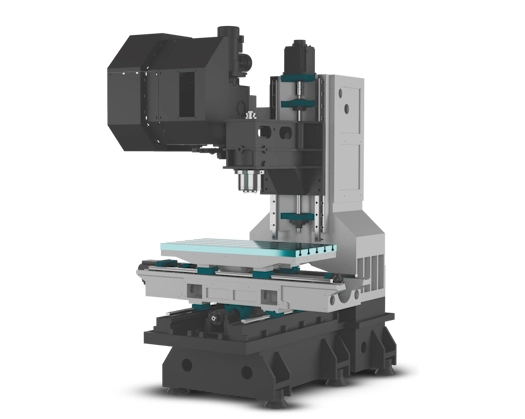
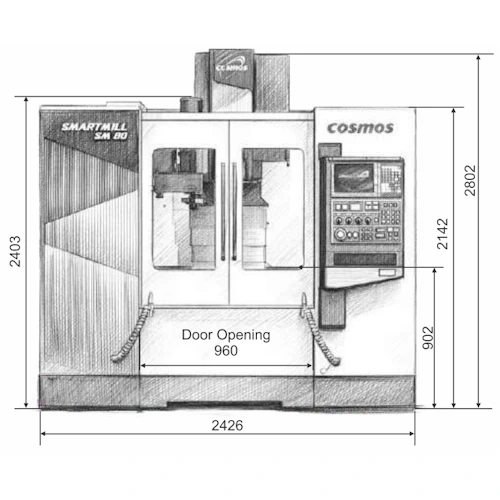
SM 80 Structure With Shadow WHITEBG
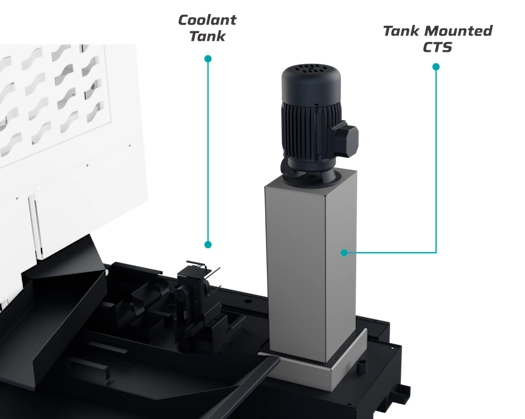
Inbuilt Tank Mounted CTS System whitebg

SM 80 STRUCTURE

The extra-wide base of the column provides superior stability and effectively absorbs cutting forces, preventing any deflection and leading to improved cutting dynamics.

Inbuilt tank mounted CTS system

Through coolant increases tool life, allows higher cutting speed and clears chips during deep hole drilling. CTS system with max. 20 bar pressure

Machine Specs

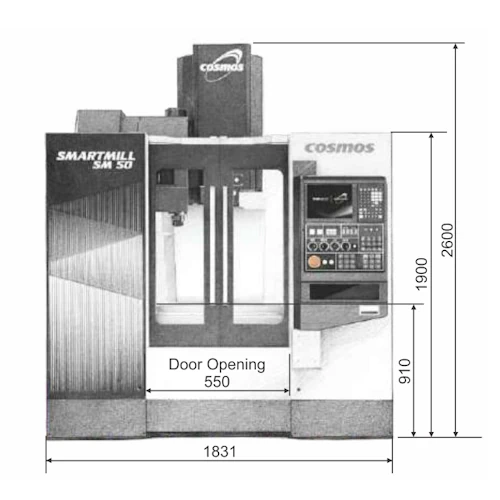
SM 50 diagram

X axis Travel: 500 mm

Y axis Travel: 400 mm

Z axis Travel: 450 mm

Table Size: 650 x 400 mm

Max Loading Capacity: 300 kg

Spindle Motor Output: 7.5/11/15 kW

Spindle Max Speed: 8,000 rpm

Spindle Taper: BBT40

Rapid Feed Of X/Y/Z: 48/48/48 m/min

Tool Storage: 24 T

Tool Change Time (Tool-to-Tool): 2 Sec.

SM 60 diagram

X axis Travel: 600 mm

Y axis Travel: 450 mm

Z axis Travel: 500 mm

Table Size: 750 x 450 mm

Max Loading Capacity: 300 kg

Spindle Motor Output: 7.5/11/15 kW

Spindle Max Speed: 8,000 rpm

Spindle Taper: BBT40

Rapid Feed Of X/Y/Z: 48/48/48 m/min

Tool Storage: 24 T

Tool Change Time (Tool-to-Tool): 2 Sec.

SM 80 diagram

X axis Travel: 800 mm

Y axis Travel: 450 mm

Z axis Travel: 500 mm

Table Size: 1000 x 500 mm

Max Loading Capacity: 600 kg

Spindle Motor Output: 11/15/18.5 kW

Spindle Max Speed: 8,000 rpm

Spindle Taper: BBT40

Rapid Feed Of X/Y/Z: 48/48/48 m/min

Tool Storage: 30 T

Tool Change Time (Tool-to-Tool): 2 Sec.

SM 60 APC diagram

X axis Travel: 600 mm

Y axis Travel: 450 mm

Z axis Travel: 500 mm

Rapid Traverse x/y/z: 48/48/48 m/min

Cutting Feed Rate x/y/z: 10/10/10 m/min

Pallet Dimension: 720 x 400 mm

Max. Load on Pallet: 200 x 2 kg

Table Tslot: Table is tapped hole type with M10 tapping

APC Type: Swing type rotary

Pallet Change Time: 11-13 sec.

Pallet Change & Clamping mechanism: Hydraulic

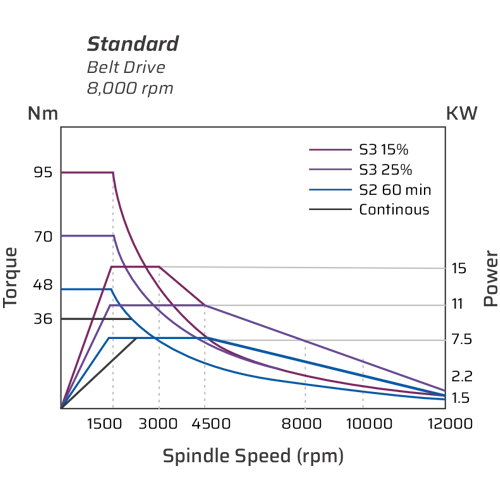
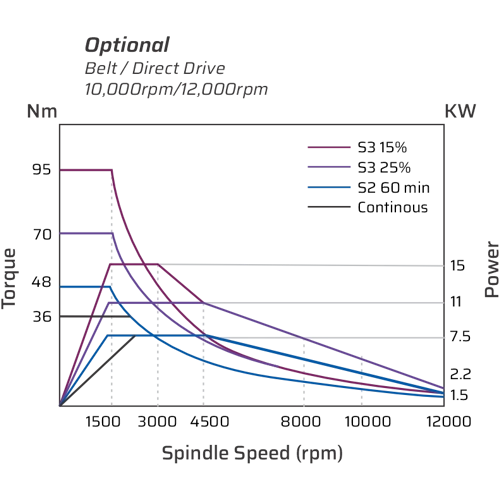
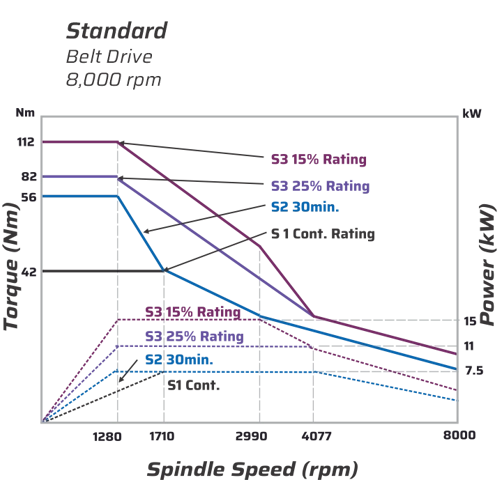
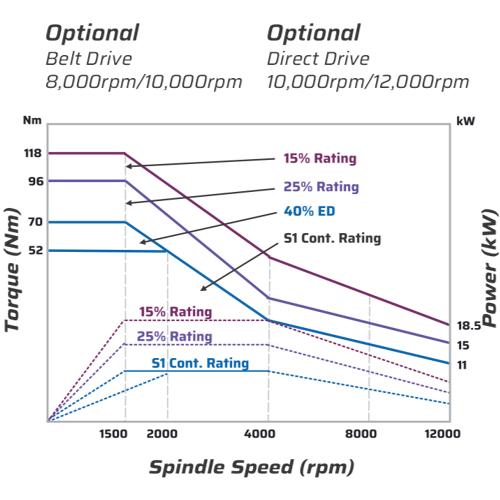
Torque Power Diagrams

Fanuc Controller

SmartMill Fanuc Dark 01
SmartMill Fanuc Dark 02

Mitsubishi Controller

SmartMill Mitsubishi Dark 01
SmartMill Mitsubishi Dark 02

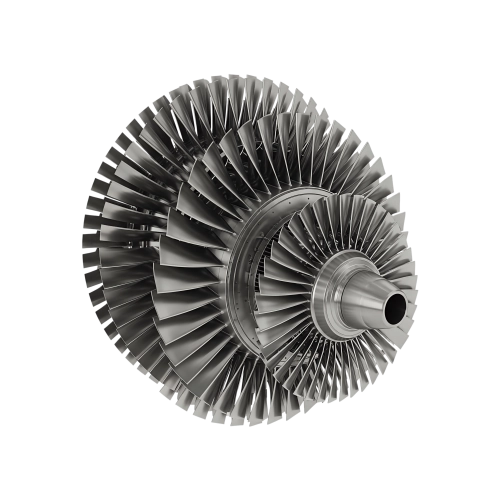
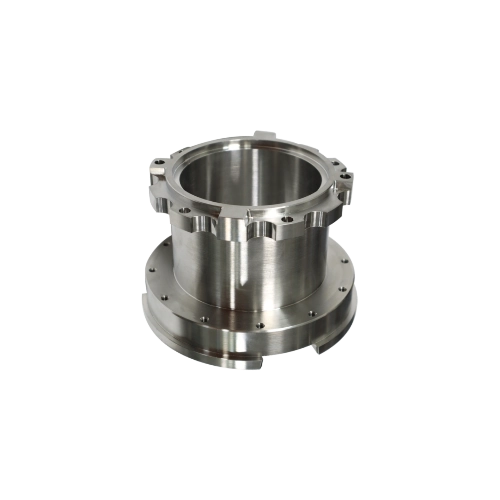
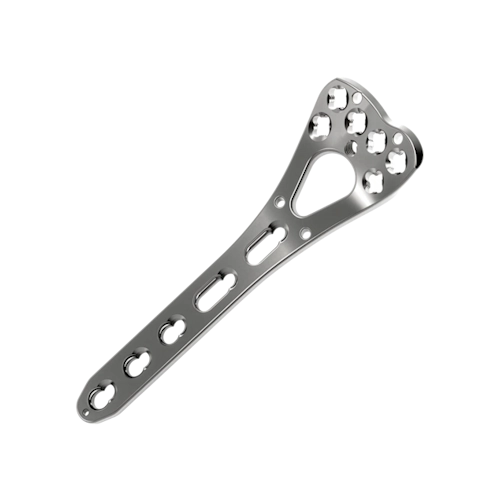
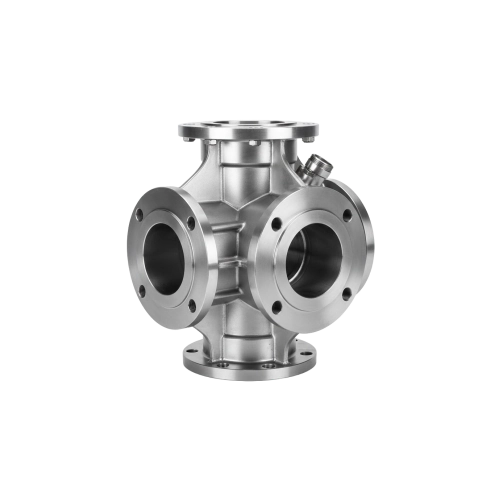
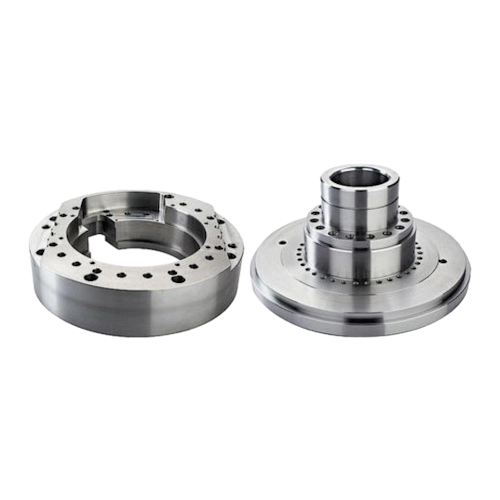
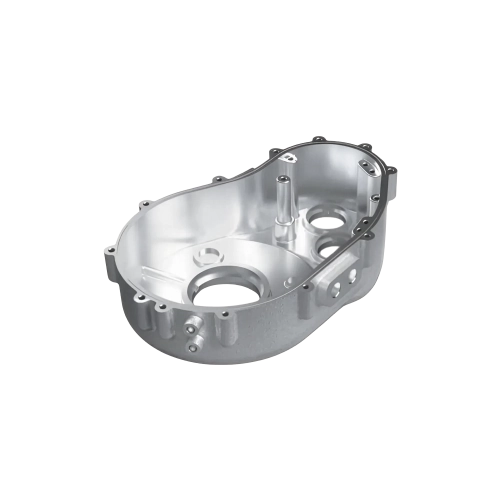
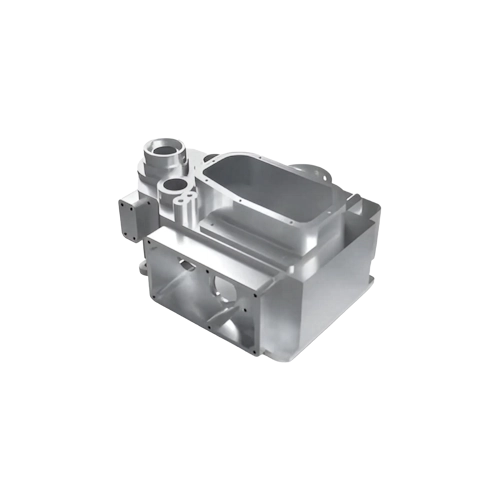
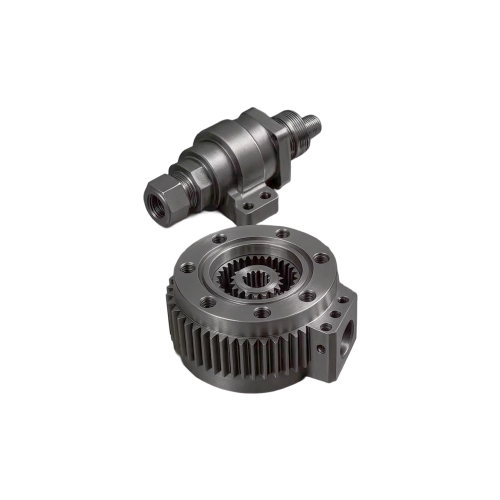
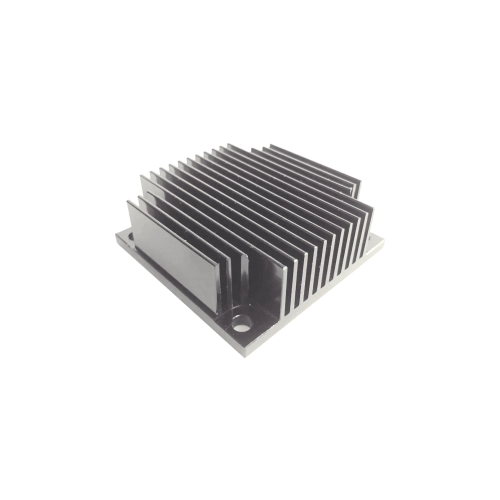
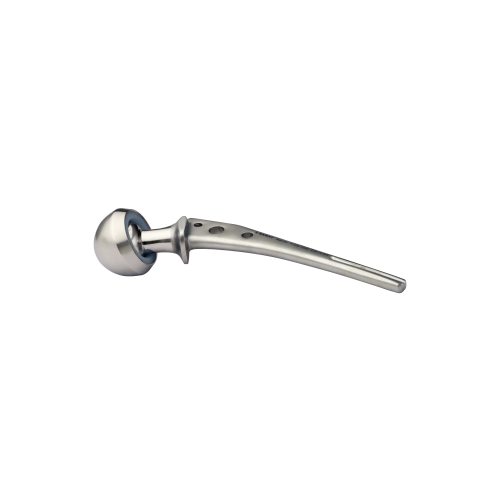
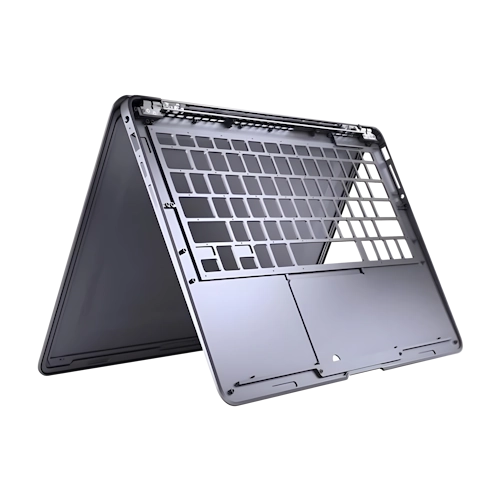
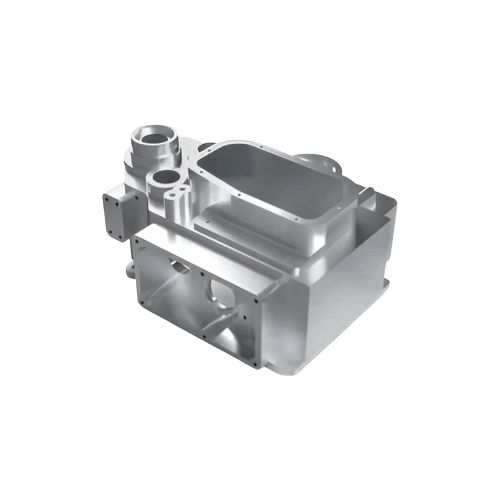
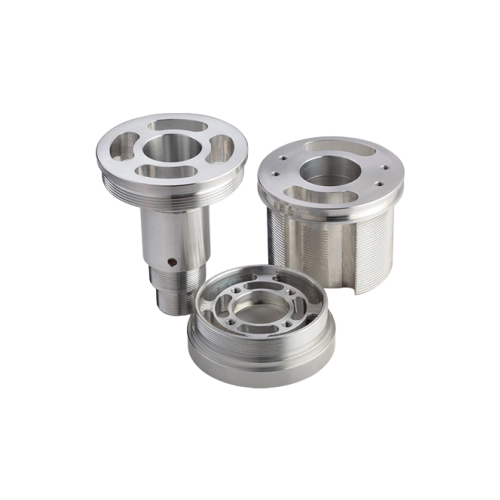
Components machined by SmartMill Series

Automatic Tool Changer

Arm Type (SM 60)
1.8 Seconds (Tool to Tool)
24 Tools Storage (Standard)

Arm Type (SM 80)
1.8 Seconds (Tool to Tool)
30 Tools Storage (Standard)

ATC
Spindle (1)

Spindle Characteristics

Belt Drive
Dual Contact - BBT 40 Taper
8,000 rpm - Standard
10,000 rpm - Optional
Direct Drive (Optional)
10,000 rpm
12,000 rpm
Acceleration 1G

BOOST YOUR PROFITABILITY BY
ACHIEVING THE MAXIMUM WITH EASE

Heading

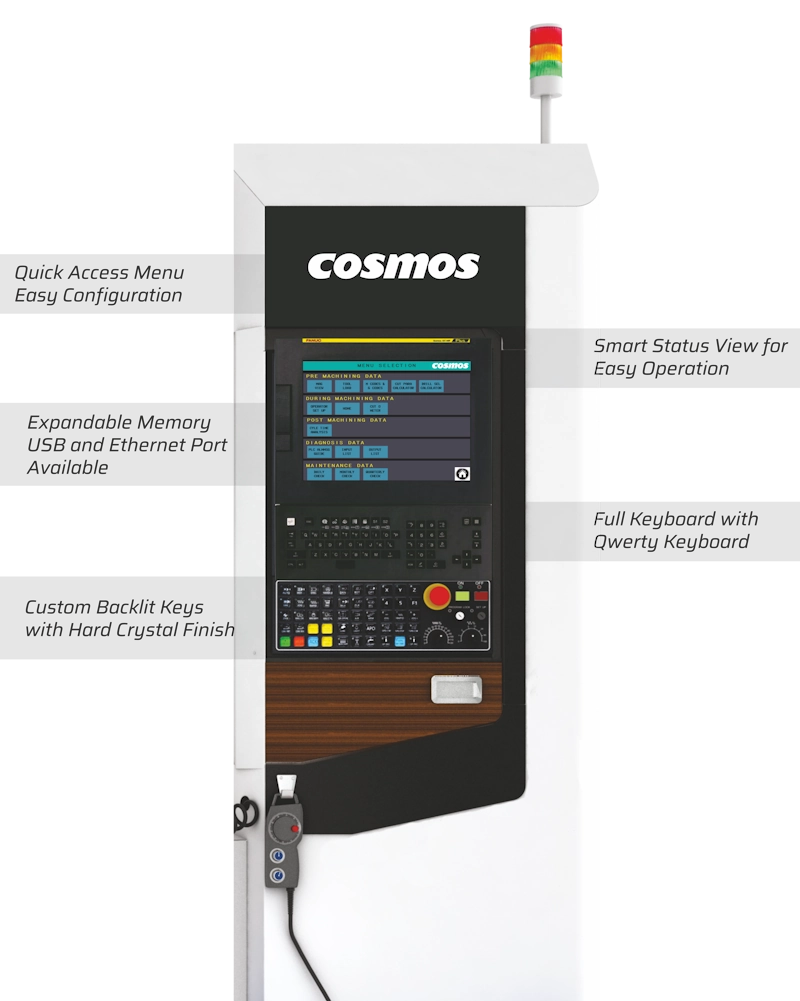
It focuses on customised dashboards and tools that help the operator to simplify his daily activity. The overall feature and package can reduce the time lost due to the complexity of the controller GUI; as a result, Zenez can significantly increase the machine output and profitability. • 10.4-inch display or large 15-inch display.

  • 10.4-inch display or large 15-inch display
  • Multi-touch User Interface
  • Fully functional vertical and horizontal soft-keys for non-touch usage
  • Crystal Type
  • Enhanced hardware to ensure reliability

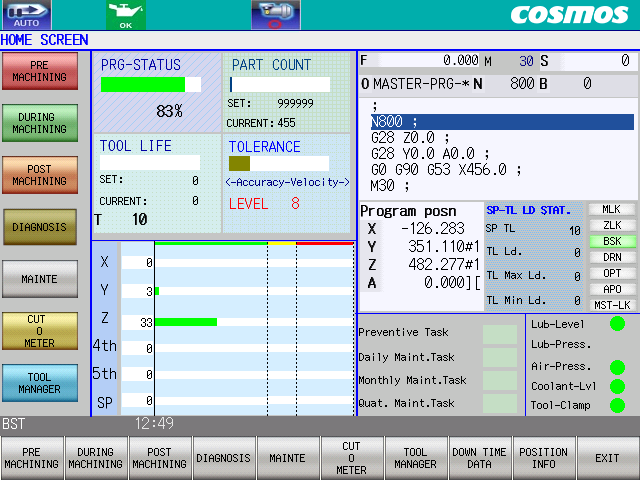
The Home Screen

Status View

Program Status
Show Tool Life Status
Active Machining Condition
Port Count vs Total Required

ZENEZ Menu

Menu Pre-Machining APP
During Machining APP
Post Machining APP
Diagnosis APP
Maintenance APP
Tool Manager APP

Axis Load Meter

HOME SCREEN

CNC View

Axis Feed Rote
Spindle rpm Program Name
Sequence Number (N)
Block Number (B)
Progrom Buffer
Program Position
Spindle Load Stat

Maintenance Alert

An alert shows up if maintenance tasks are pending or one of the following is not normal:
Lubrication Level
Air Pressure Coolant Level
Tool Clamp

Scroll

Scroll

Scroll in lists - Tool and Work offset list, Program, Gcode List Parameter.

TOP

Tap

Tap to move the cursor or navigate through the menus.

Pinch

Pinch

Zoom in and out of graphic content during simulation mode.

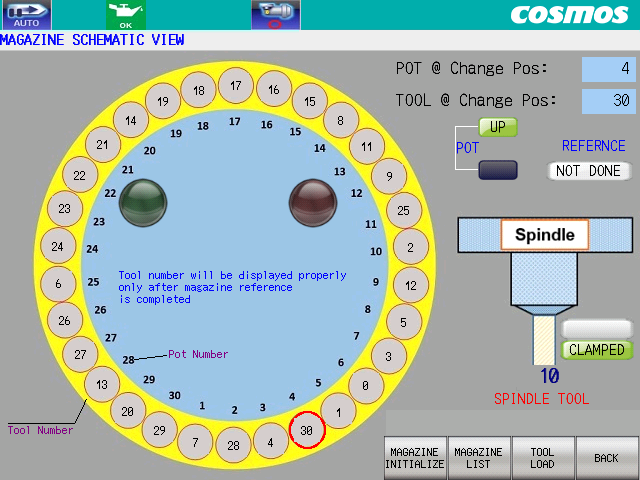
TOOL MANAGER-MAIN

QUICK SETUP
Magazine View

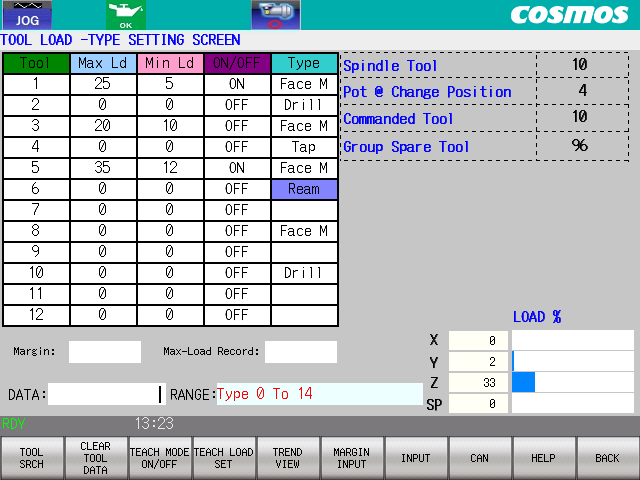
Users can assign large tools, fixed tools. locked tools, and maximum and minimum loads with tool type. Load Teaching is a value-added feature.

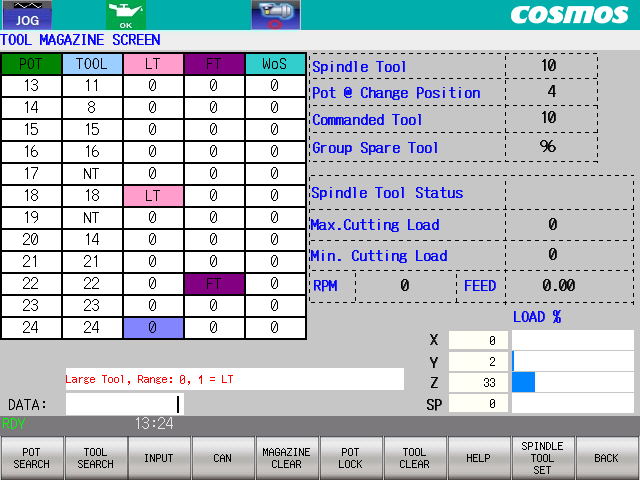
TOOL MANAGER-TOOL LIST

QUICK SETUP
Tool Manager

User Can assign Large Tools, Fixed Tools. Locked Tools. Maximum and Minimum Load with Tool Type. Load Teaching is a value added feature. *LT-Lorge Tool | FT - Fixed Tool | Wo5-Tool without Spindle Rotation

MACHINE CONDITON OR LEVELS

ADVANCE CONTROL
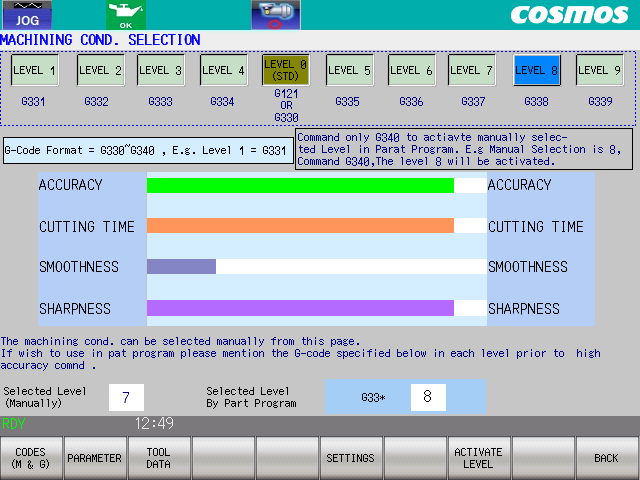
Machining Condition Selection

Machining Condition Selection - Settings Level 1-9 offers the user control over the servo tuning. 1-9 represents tuning presets calibrated by the Cosmos and Mitsubishi Japan tech team to offer users the servo tuning control in a more understandable manner to maximise their profits by gaining customised control over roughing, semi-roughing, and finishing parameters.

"Can be activated by G-Code G331-339-or Manually. This option can be password protected for restricted access.

TOOL MANAGER-TOOL LOAD SETTING

ADVANCE CONTROL
Downtime Analysis

Downtime (DTE) Entry
Popup Whenever machine stops, the DTE pops up for classification for interruption in machining

Downtime Analysis Report

Complete report on why machine was idle. Now you know where the issue is.

cosmos brochure 006 1

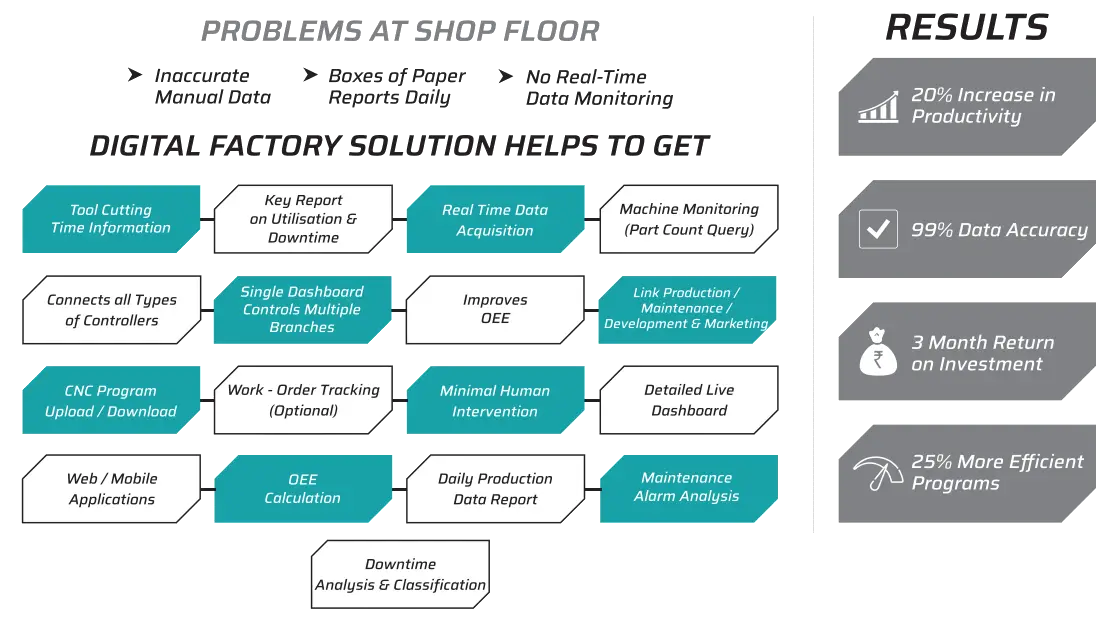
All-in-One Digital Data Monitoring Solution for Manufacturing Industries

digital factory solution helps to get

digiFAC Features

Stainless Steel Sill Protector

Dashboard Monitoring

  • Live information of the entire factory.
  • Categorise machines (Unit-wise).
  • View regular utilisation of the machine.

Big Dual Side Windows

Program Transfer

  • Upload programs from computer to machine remotely.
  • Download programs and edit them from anywhere around the globe.

Directly Coupled Axis Servo Motor

Alarm Analysis

  • Alarm history by code/machine.
  • Time and duration of all alarms generated by a separate machine.

Tool Cuting Time Information

Tool Cutting Time Informationt

  • No more unidentified dry-runs.
  • Program path optimisation in-sight.
  • Tool usage clarity.
  • Shorter cycle-times (if modified).
  • Eliminate NVA air time and improve your process.

All in one Dashboard

All-in-One Dashboard

  • Overview of all data of one machine on one screen.
  • Find out the machine's status right away.
  • One machine's information is displayed on a single screen.

Product Information

Production Information (Utilisation)

  • Detailed production information report: An automated daily production report.
  • All reports are available in Excel format.

Downtime Analysis

Downtime Analysis

  • See total machine downtime.
  • Monitor downtime and the reasons for it (Macro Downtime Feature).
  • Focus and easily get the classified major losses/downtimes and work on optimisation .

Email Alerts

Email Alerts

  • Set a time for machines' idle condition and receive or get alarm notifications via email.
  • Management Reporting: Receive daily production reports and downtime analysis reports by email on a daily basis.
Our Other Range of Excellence

High-tech Products For Unmatched Performance